Use Volta to manage Node.js versions
A guide on using Volta for managing multiple Node.js versions in your development environment.
Caution
Volta is now unmaintained. We recommend using Mise-en-place instead. See our practice page on the topic.
The Problem
Working across multiple JavaScript projects often requires different versions of Node.js. Running the wrong version can lead to compatibility issues, bugs, and wasted time troubleshooting. Manually managing these versions can be tedious and error-prone.
Time spent chasing environment inconsistencies is time away from delivering actual value. A reliable solution is needed to streamline this process.
The Solution: Volta
Volta is a JavaScript tool manager that makes it easy to install and switch between different versions of Node.js, npm, and Yarn. It allows you to set project-specific versions, ensuring that each project uses the correct environment without any manual intervention.
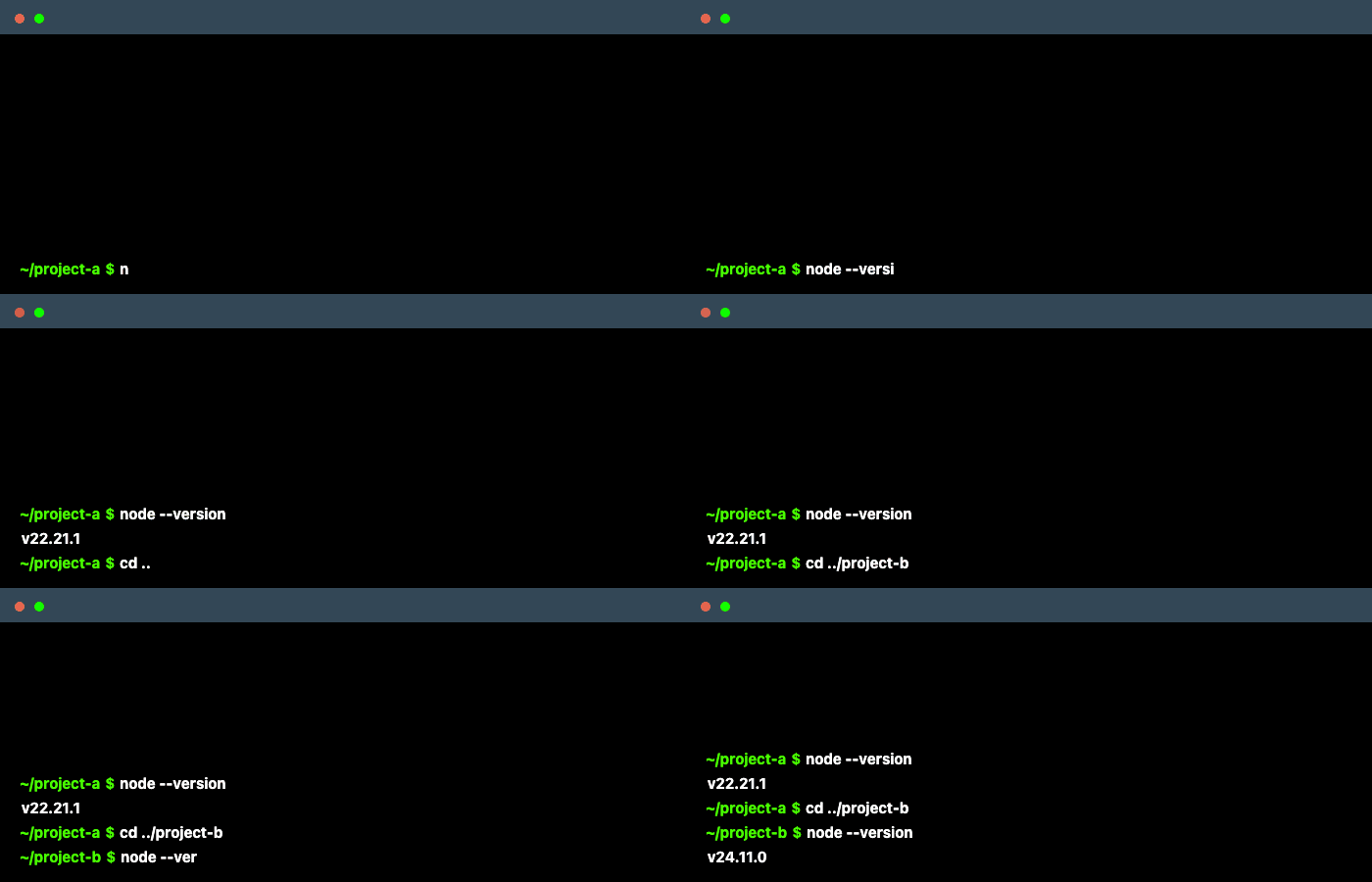
Installing and configuring Volta
To install volta, follow the installation instructions on the Volta website. Once installed, you can set the default Node.js version for your system:
volta install node@latestTo set a specific Node.js version for a project, navigate to the project directory and run:
volta pin node@24You can also use the volta pin command to specify versions for npm or Yarn:
volta pin npm@latestThe volta pin command creates a volta section in your package.json, specifying the correct versions for that project:
{
  "volta": {
    "node": "24.11.1",
    "npm": "11.6.3"
  }
}
When any other engineer using Volta clones the project and runs Node.js commands, Volta automatically switches to the specified versions.
One other neat trick in monorepos is to delegate version management to the root package.json. This way, all sub-packages inherit the same Node.js version without needing to manually keep it in sync. For example, to keep a subpackage in sync with the root package.json, you can add this to the sub-package's package.json:
{
  "volta": {
    "extends": "../package.json"
  }
}
Why not NVM?
While NVM (Node Version Manager) is a popular choice for managing Node.js versions, Volta offers several advantages:
- Low mental overhead: Volta switches versions automatically based on project configuration, eliminating the need to remember to run
nvm use. - Simplicity: Volta is configured in
package.json. No separate configuration files are needed. - Cross-platform: Volta works seamlessly on Windows, macOS, Linux, etc. NVM is only available on Unix-like systems.
Help us improve
Your feedback helps us create better resources for teams like yours.
Last updated on